
Running a hybrid council meeting in SmartChamber.
A practical training session for clerks and officers. We'll cover the room, the kit and the workflow — together, at a friendly pace. By the end, you've got this.

A quick warm-up. No pressure.
Three small things to do before we dive in. Each takes less than a minute — and the experience runs smoother for everyone if we sort them now.
- Grab a seat where you can see the screen. Some of this is visual — you'll want a clear view.
- Have a notepad or phone ready. We'll share QR codes you might want to scan later.
- Pick up a business card on your way in. Your free GovAssist credits live on the back.
One place for free assessments, online workshops and in-person events — built for parish, town and member councils.

By the end of today, you'll know how to:
Set up the AV before a meeting.
Power on, sanity-check the mics and camera, confirm the hearing loop is live. We'll walk through every button.
Run a hybrid meeting end-to-end.
Bring remote members in, manage who's speaking, keep the room clear for the public gallery — without losing your place in the agenda.
Know where to go for more.
GovMeetings, GovAssist, free credits, follow-up webinars and your CloudyIT support contact — all signposted.
Why we're learning this now.
Parish and town councils can't yet hold hybrid or remote meetings — but the powers are coming back. Government has committed to restoring them. Councils that prepare now will be running real hybrid meetings the day the legislation lands. That's why you're here.
What's in the room. What's on the screen.
SmartChamber has four components. Today we'll spend most of our time on the AV — the room around you. The other two software pieces (GovMeetings and GovAssist) each have their own dedicated webinar, so we'll signpost those for later.
The room you're standing in
Cameras, microphones, hearing loop, speakers, screen — and a single button to start it all. Today's focus.
The tablet or laptop in front of you
Preconfigured with Microsoft 365, Intune-managed, with GovMeetings and GovAssist already installed. Just sign in.
Agendas, papers, minutes
Your meeting management platform — covered in depth in its own dedicated webinar (we'll show you the QR code).
AI built for councils
Live transcription, draft minutes, captures decisions and actions. Dedicated webinar — plus free credits on your business card.
Let's look at the room.
Before any meeting, three things need to be true: people can hear, people can see, and the hearing loop is live. Everything else flows from there.
- Nureva HDX ceiling array — picks up voices anywhere in the room, no headset hand-offs
- Speaker-tracking camera — automatically frames whoever's talking
- Hearing loop — Equality Act 2010 compliant, live whenever the system is on
- Large display — for remote members and the public gallery
- One-button start — power on, sign in, you're live
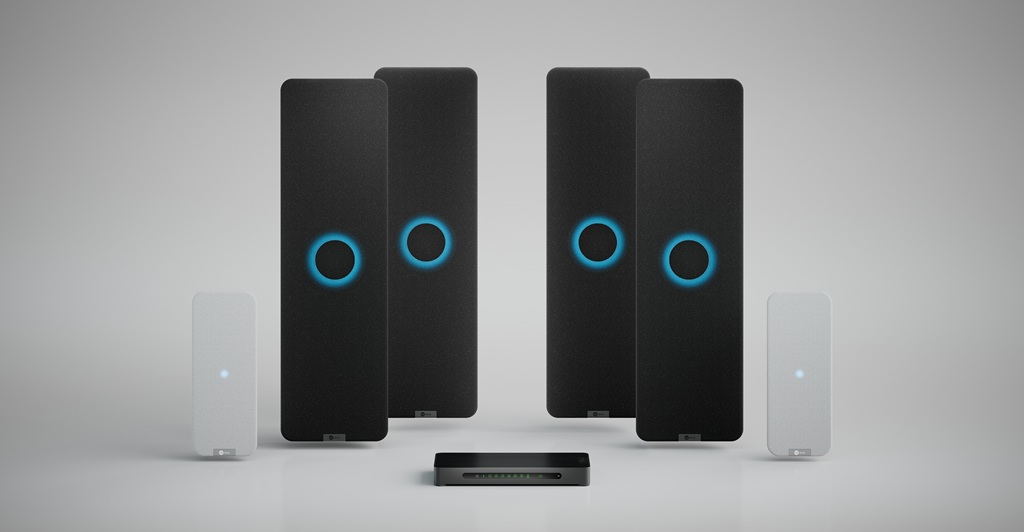
Full-room voice pickup with no dead zones. If you take one thing away today: this is why remote members can actually hear what's said.
Five steps. In order.
A real hybrid meeting from arrive-in-the-room to last-person-leaves. If you can do these five in order, you can run a meeting.
Power on
Press the wall panel. Wait for the green light. System wakes the screen, mics and camera together.
Sanity check
Walk to three points in the room. Speak normally. Watch the level meter on the screen react.
Start the call
Open Teams. Join the scheduled meeting. The room becomes the meeting "device" — no separate sign-in.
Admit remotes
Members in the lobby appear on the screen. Admit them. Confirm they can hear you and you them.
Close down
End the call. Press the wall panel again — system powers down cleanly. Hearing loop turns off with it.
In pairs: one of you is the clerk, the other dials in from a phone.
Run the five steps above. The "remote" member should be able to hear you clearly from the back of the room — without a headset. 10 minutes.

Agendas, papers and minutes — covered in its own session.
GovMeetings is a full meeting-management platform — too much to fit into today. We've built a dedicated 45-minute webinar that walks you through the clerk's dashboard, with worked examples from a real parish council agenda.
- Building & publishing an agenda
- Capturing attendance, motions & decisions
- Drafting and approving minutes
- Question time — bring your real-world headaches

Council-trained AI — try it today, on us.
GovAssist is AI built specifically for UK councils. We're giving every attendee today a credit pack to try it — no card, no commitment. Scan the QR for the webinar that shows you what it can do, then claim your credits via the business card you picked up on the way in.
Your one-page cheatsheet. Print it. Pin it.
Everything we covered, in the order you'll use it. We'll email you a printable PDF after the session — but this is what's on it.
Before the meeting
- Press the wall panel (green light)
- Wait for the screen to wake (~20s)
- Walk & talk in three spots — watch the level meter
- Confirm the hearing-loop indicator is on
While the meeting's running
- Open Teams → join scheduled meeting
- Admit remote members from the lobby
- Ask one of them to confirm audio
- If a remote member can't hear, ask them to leave & rejoin first
Closing the room
- End the Teams call
- Press the wall panel — system powers down
- Check the hearing-loop light goes off
- Lock the chamber door behind you
Three things you can do now — starting today.